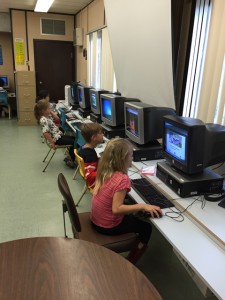
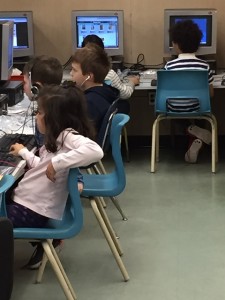
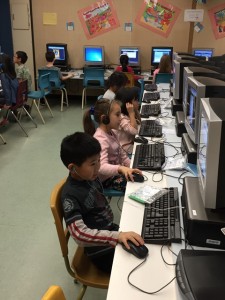
What a treat… watching my class in action as I stitched together videos of some of our rehearsals for the National Geographic Classroom Energy Diet VIDEO Challenge. EVERYONE had worked SO HARD to put it all together. “Quiet on the set!” is not as easy as you might think, but the class did work (almost!) silently on other pen-and-paper challenges while the filming was going on.
Special thanks to our film crew, Amanda and William, who alternated with the flipcam and the class camera. We always had 3 cameras shooting at once! Our “kids with signs” did a great job of coloring, decorating, and marching with their poster signs. Our two “invisible men” expertly scooted in and out of the scenes and our “snowman makers” did a great job of struggling with our “fake window”. Several students are to be congratulated for their super job of playing the energy-wasting old couple in the “living room” and our 2 NRG Super Kids were… ahhhh… SUPER! A big round of applause to the old neighbourhood couple who did such an excellent job of being “interviewed” and a standing ovation to our News Reporter who gave a magnificent performance!
Thank you to everyone who called up all their family and friends to vote for us! We did make it to the finals (and won that flipcamera!) but unfortunately we didn’t get that grand prize of a SmartBoard. Too bad… the video would have looked FANTASTIC on a SmartBoard!
What we did win was the PRICELESS MEMORY of working together to make a REAL VIDEO for NATIONAL GEOGRAPHIC! That’s something that doesn’t come along very often… it was certainly a “first” for this teacher! I hope you all feel very proud of our hard work and who knows… maybe one or two of my students might grow up to work in the movies!
Here is the 1 minute video (ah… gee… okay… it is actually 1 minute 3 seconds, but I just could NOT squish it down any further and meet the entry deadline!) that was entered into the contest.
NRG SuperKids- 60 sec version from Nora Boekhout on Vimeo.
Here is a combination of some of our rehearsals, put together into Scenes 1, 2, and 3. The assignment challenge was to make a video to show how kids can help save energy.
The original “screenplay” (chuckle!) was as follows:
Scene 1. A News Reporter interviews an old couple in their neighbourhood, asking whether they think kids can make a difference to energy savings. Kids are marching behind with posters that have energy saving tips on them, but the old folks don’t have a clue.
Scene 2. An energy-wasting couple are busy… wasting energy, of course, on a cold winter day (with kids making a snowman outside). They are visited by the NRG Super Kids, who give them tips on how to save energy.
Scene 3. The News Reporter revisits the old couple , who have now heard about the NRG Super Kids and know that kids CAN help save energy. The marching kids flip their signs to say “kids can help”.
NRG rehearsals1 from Nora Boekhout on Vimeo.
NRG rehearsals2 from Nora Boekhout on Vimeo.
Another part of the (written) challenges was to make daily announcements on the P.A. system to encourage other students to save energy as well. We then put these ideas into a presentation for our monthly Good Stuff Assembly in front of the whole school and visiting parents. This video is our rehearsal in the library.
Energy Tips Presentation – rehearsal from Nora Boekhout on Vimeo.
You can see more about our work back in April
by revisiting the Classroom Energy Diet post.
What was YOUR favourite part
of the Energy Diet Challenges?